.svg)


What Clay is really for ?
Most teams use Clay like a tool for “finding emails.”
Modern teams use Clay for decision automation:
- Who should we target this week?
- Which accounts are showing intent?
- Which contacts match our ICP?
- What message angle is most relevant?
- Who gets routed to Sales vs. nurture?
If you treat Clay as a system builder, you can run the same GTM motion every week
with higher quality and less manual work.
7 Clay use cases that unlock your GTM.
“The goal of GTM isn’t more data.
It’s better decisions, made earlier.”
Clay becomes powerful when you stop treating it like a list-building tool
and start using it as a decision engine across your GTM motion.
1) Build an ICP Fit Scoring system (so targeting isn’t vibes)
If you don’t have a consistent “fit logic,” every list becomes noise.
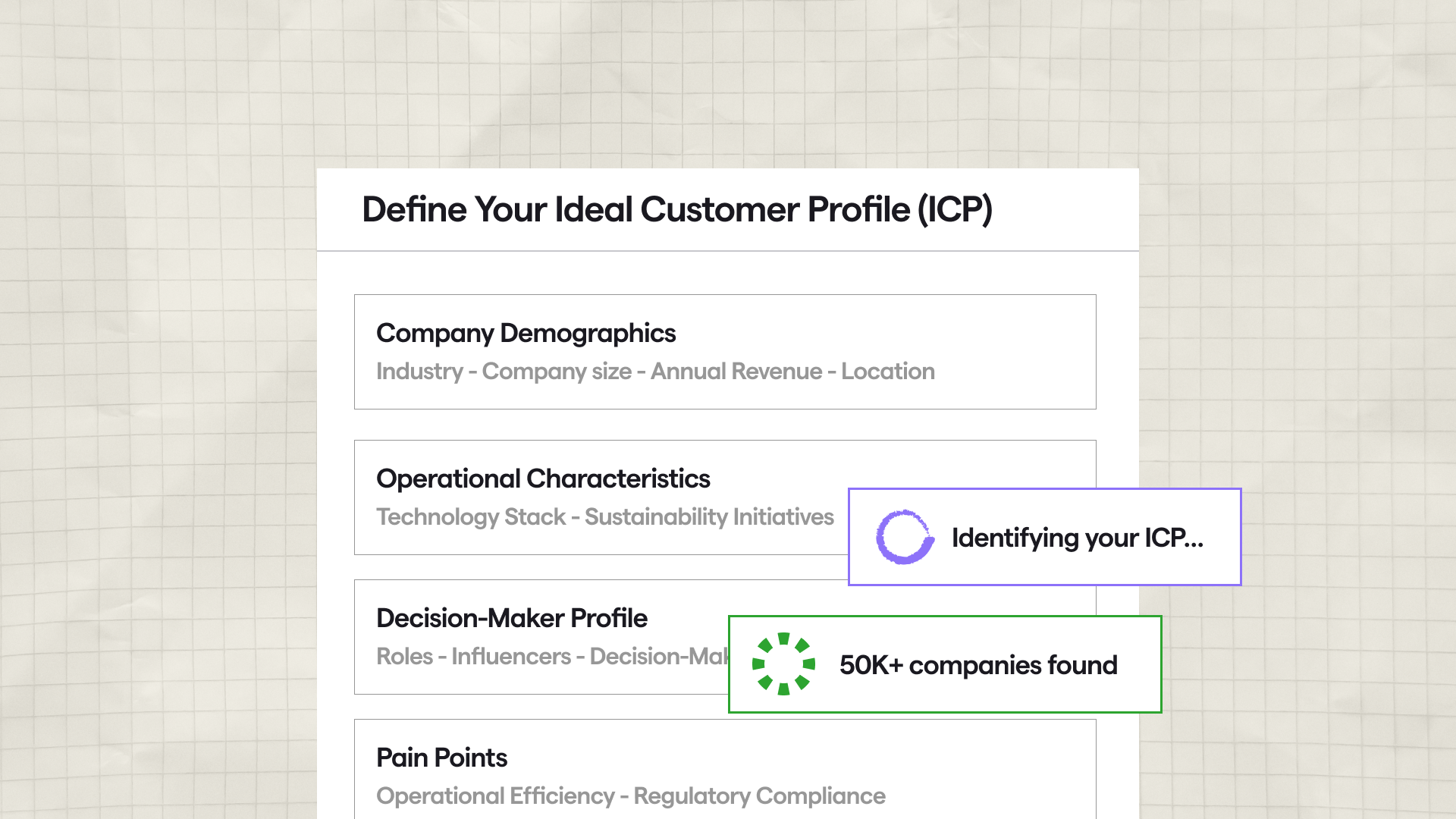
What to build in Clay
- A scoring model that blends:
- Firmographics (industry, size, geography)
- Technographics (tools used, stack compatibility)
- Constraints (no-go industries, regions, company types)
- Buying triggers (hiring, funding, new leadership, expansion)
Output
- A column like: ICP Fit Score (0–100)
- A label: Tier 1 / Tier 2 / Tier 3
Pro tip: Start simple. A scoring model you actually use beats a perfect one nobody trusts.
2) Signal-based targeting
In 2026, the best outbound isn’t “highly personalized.”
It’s well-timed. Signals to use (high-impact)
- New job postings in relevant functions
- Recent funding / expansion announcements
- Leadership changes (new VP Sales/RevOps/Marketing)
- Tech adoption events (CRM/marketing automation changes)
- Website intent spikes (if you have access)
- Product launches, pricing changes, new locations
What to build in Clay
- A workflow that:
- pulls accounts from a source (LinkedIn search, Apollo, internal CRM exports, etc.)
- detects 1–3 relevant signals
- bumps priority based on signal strength
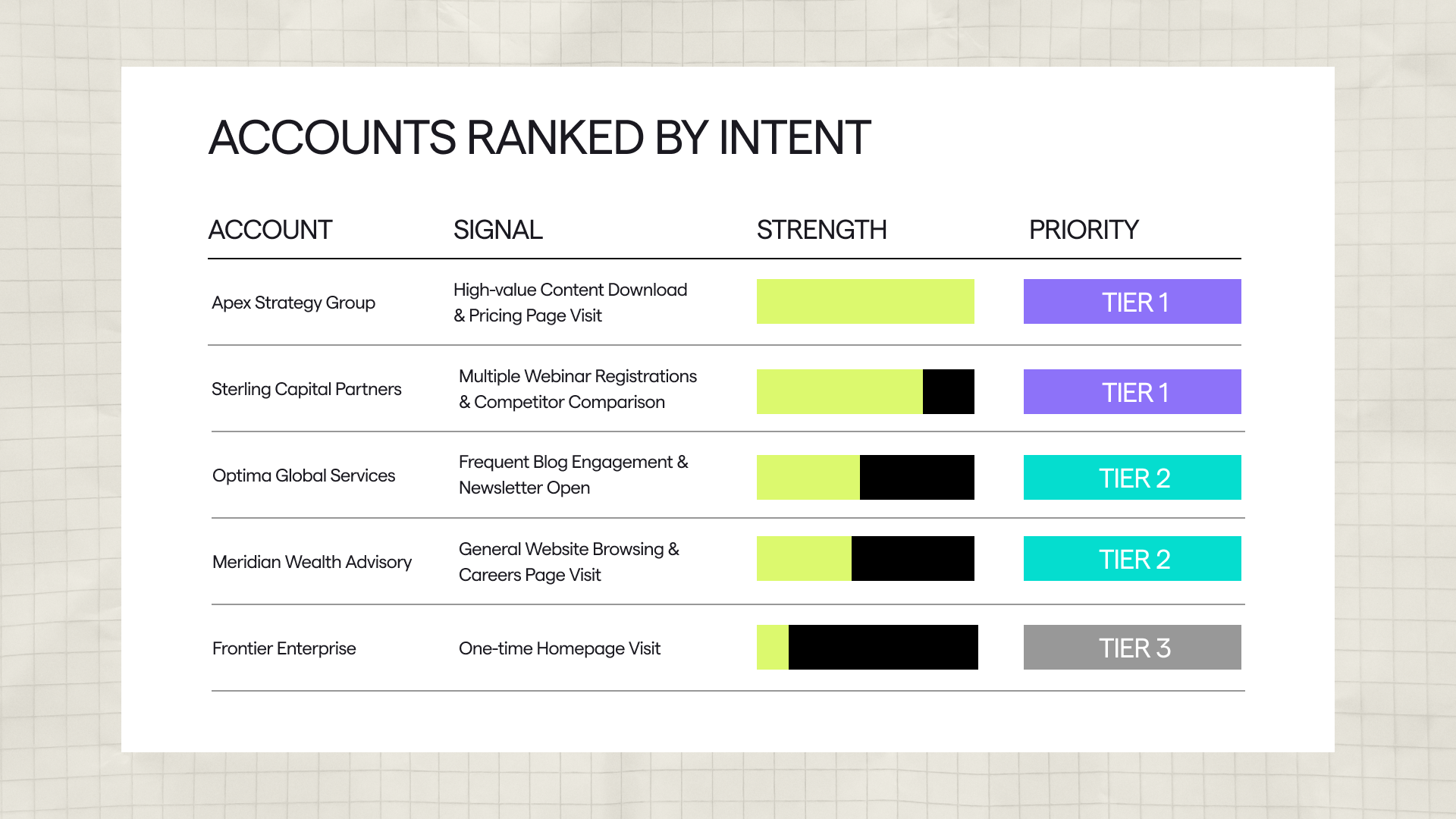
- outputs a ranked list for weekly execution
Output
- Priority: Now / Soon / Later
- Reason: signal summary
This is where Clay stops being “data” and becomes GTM control
3) Contact discovery + buying committee mapping
(so you stop emailing only one person)
If you’re going after real B2B budgets, emailing just one person isn’t enough.
What to build
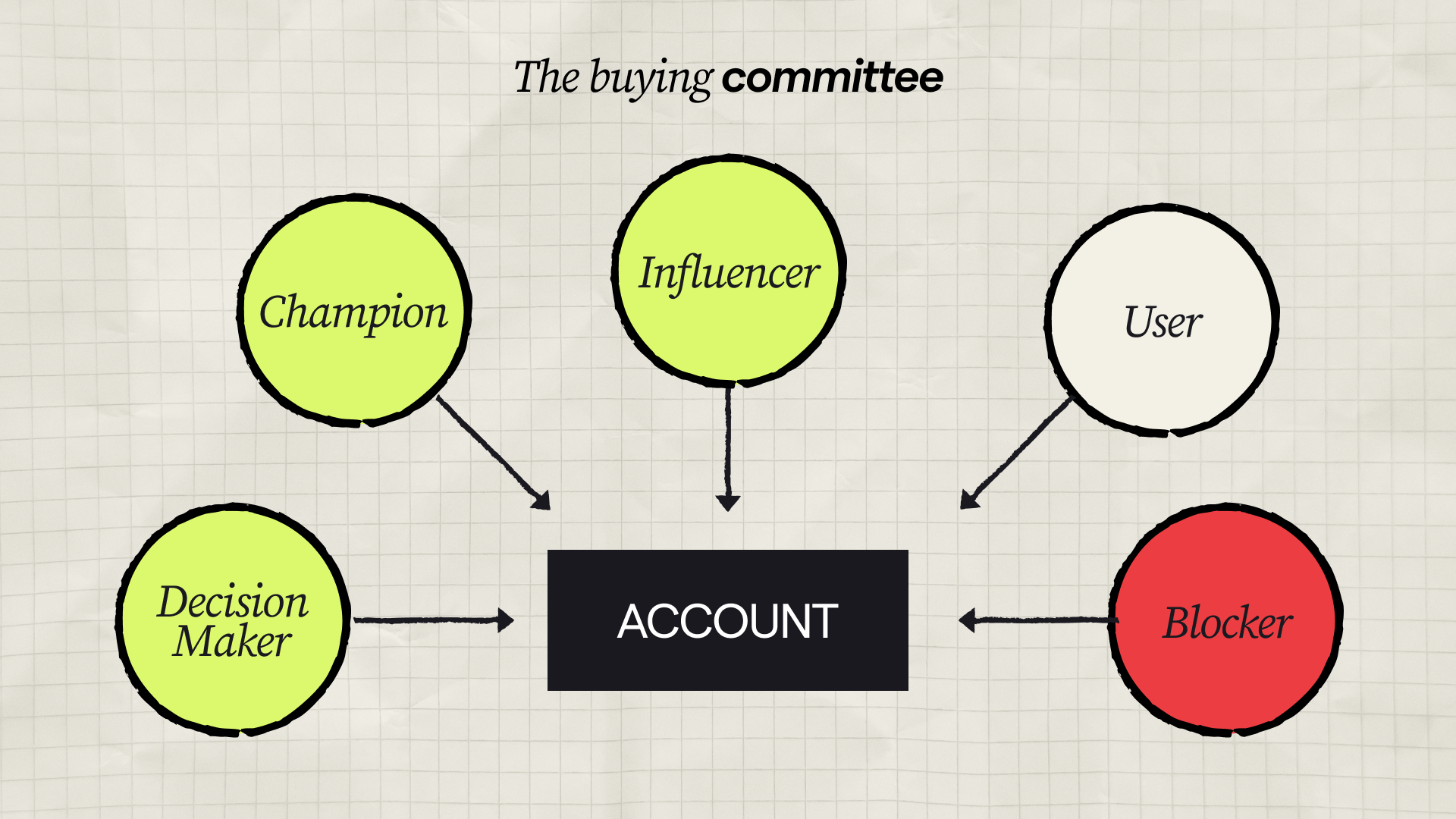
A “buying committee map” per account:
- Economic buyer
- Champion
- Technical evaluator
- Influencer(s)
- Gatekeeper (often ops / admin roles)
Clay workflow
- Find relevant titles per account (job-title patterns)
- Enrich for seniority + department
- Add a “role in committee” label
- Ensure you have 2–5 contacts per target account
Output
- Committee Coverage Score
- Missing roles: X
This makes your outbound more resilient and your ABM more real.
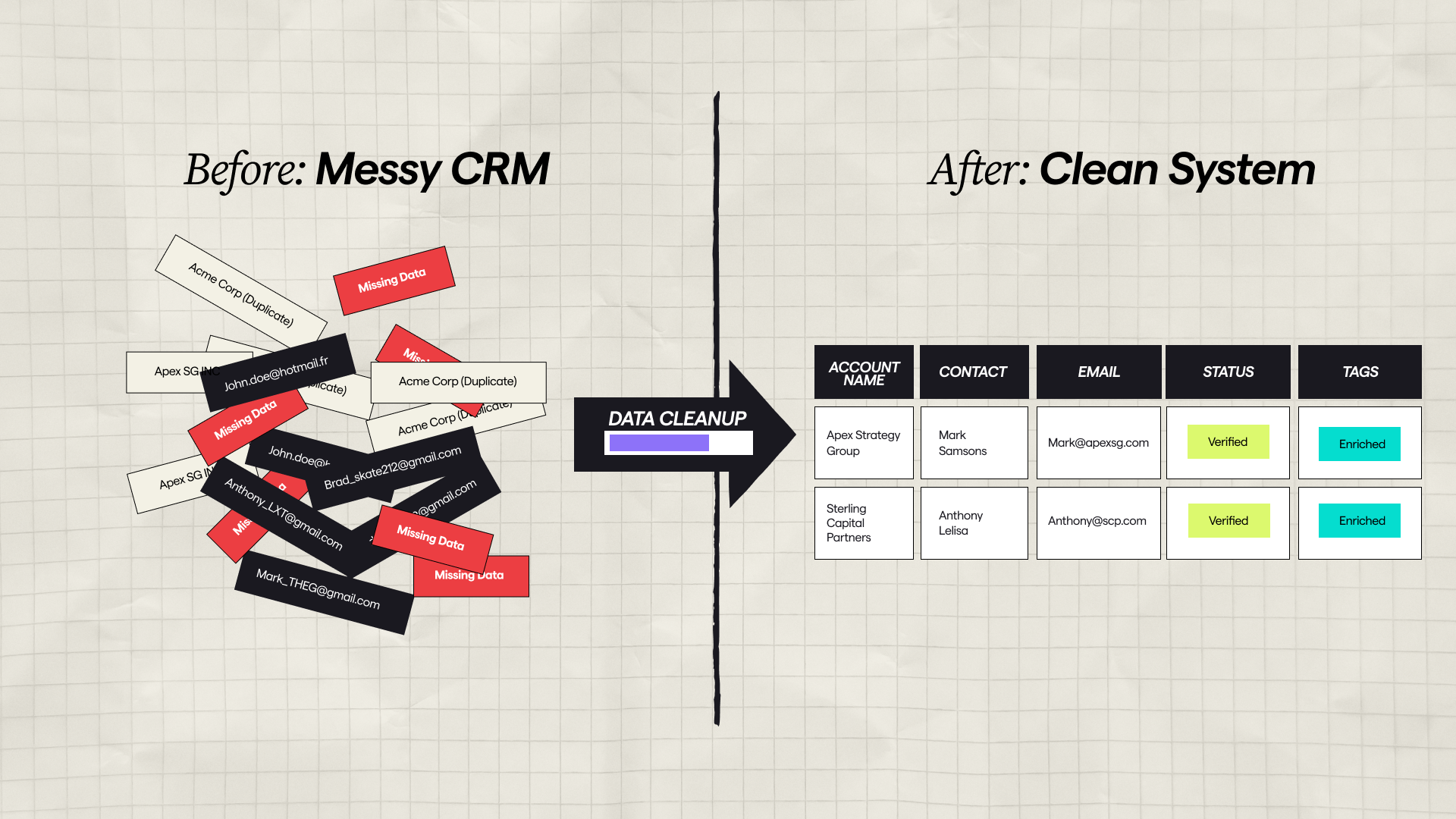
4) Data enrichment + normalization
(so your CRM doesn’t become a landfill)
Enrichment is easy. Clean enrichment is what makes the system scale.
The foundation workflow
- Enrich account fields:
- company size (choose one source and stick to it)
- industry (normalize into your own categories)
- HQ location + regions
- tech stack (only the ones you truly use for segmentation)
- Enrich contact fields:
- verified email
- LinkedIn URL
- title normalization (VP Sales vs. Head of Sales)
- seniority + department
Normalization rules (simple but critical)
- One canonical industry taxonomy
- One employee-count range system (e.g., 1–50 / 51–200 / 201–1000 / 1000+)
- Consistent geo buckets (Canada / US / UK+EU, etc.)
Output
- Data your team can trust (and filter repeatedly)
5) Personalization at scale (without fake “AI fluff”)
Winning personalization isn’t “I saw you breathe oxygen.”
It’s relevance tied to:
- their role
- their priorities
- a real signal
- an Existential Data Point (EDP) (the metric that makes this urgent, not “nice-to-have”)
- a Permissionless Value Prop (PVP) (intel so useful they’d pay to receive it)
What to build in Clay
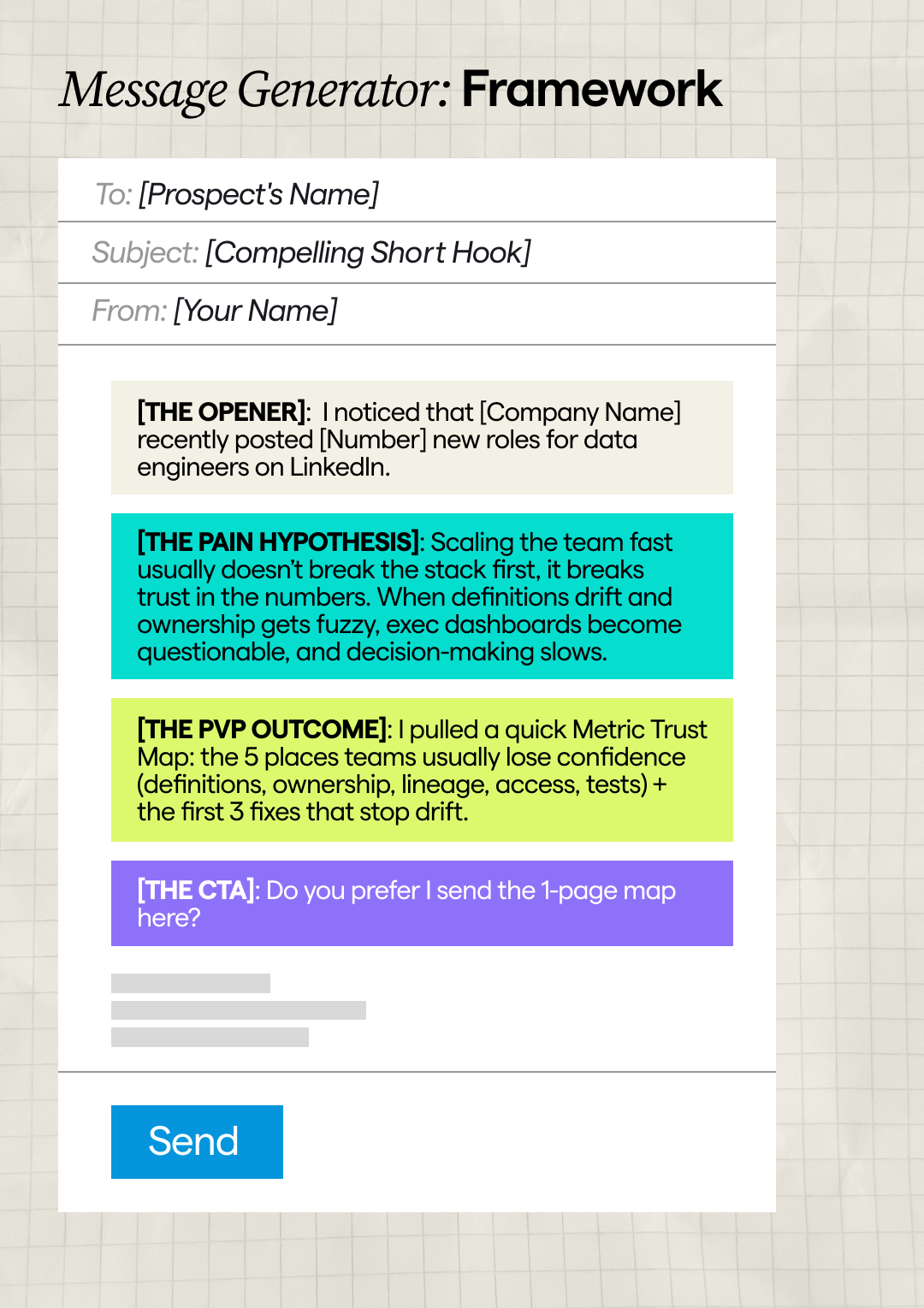
A message generator that produces:
- 1 relevant opener (signal-based)
- 1 role-based pain hypothesis anchored to an EDP (survival metric, not a generic “challenge”)
- 1 PVP outcome line (the intelligence/artifact you can deliver without a meeting)
- 1 CTA (simple, low friction)
A proven pattern
Signal → implication → PVP (artifact) → CTA
- “Noticed X.” (signal from public data)
- “That usually creates Y (measured in EDP terms).”
- “I pulled Z (a 1-page teardown / benchmark / map) — want me to send it?”
- “Worth a quick 10-min chat?” (only if they engage with the PVP first)
Output
Opener
Pain hypothesis (EDP-anchored)
PVP outcome line (artifact offered)
CTA
This becomes your “personalization engine”
that still sounds human
6) Outbound routing: sequences, territories, and handoffs
(so execution doesn’t break)
You can have the best targeting in the world, but if routing is messy, nothing converts.
What to build
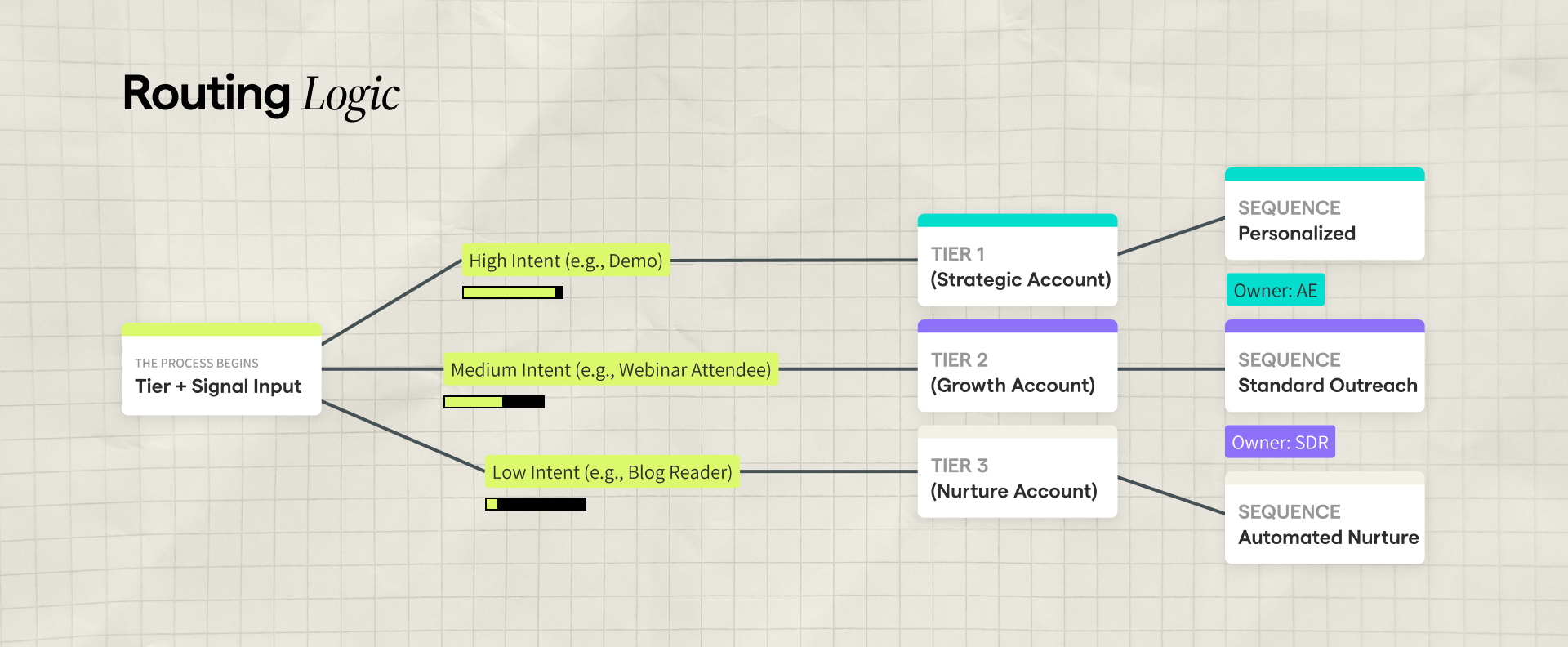
- Rules that decide:
- Which sequence a lead goes into
- Which rep owns it (territory, vertical, account tier)
- Whether it’s outbound now or nurture later
Basic routing logic
- Tier 1 accounts → human-first outbound + multi-thread
- Tier 2 accounts → automated sequences + light personalization
- Tier 3 accounts → nurture, content, retargeting
Output
- A clean export / sync into your CRM or outbound tool with:
- owner
- sequence name
- priority
- personalization fields
If you’re using HubSpot, this is where Clay becomes the “assembly line”
feeding your GTM stack.
7) ABM execution workflows
(Tier 1 feels premium, not chaotic)
ABM fails when it becomes a quarterly “campaign.”
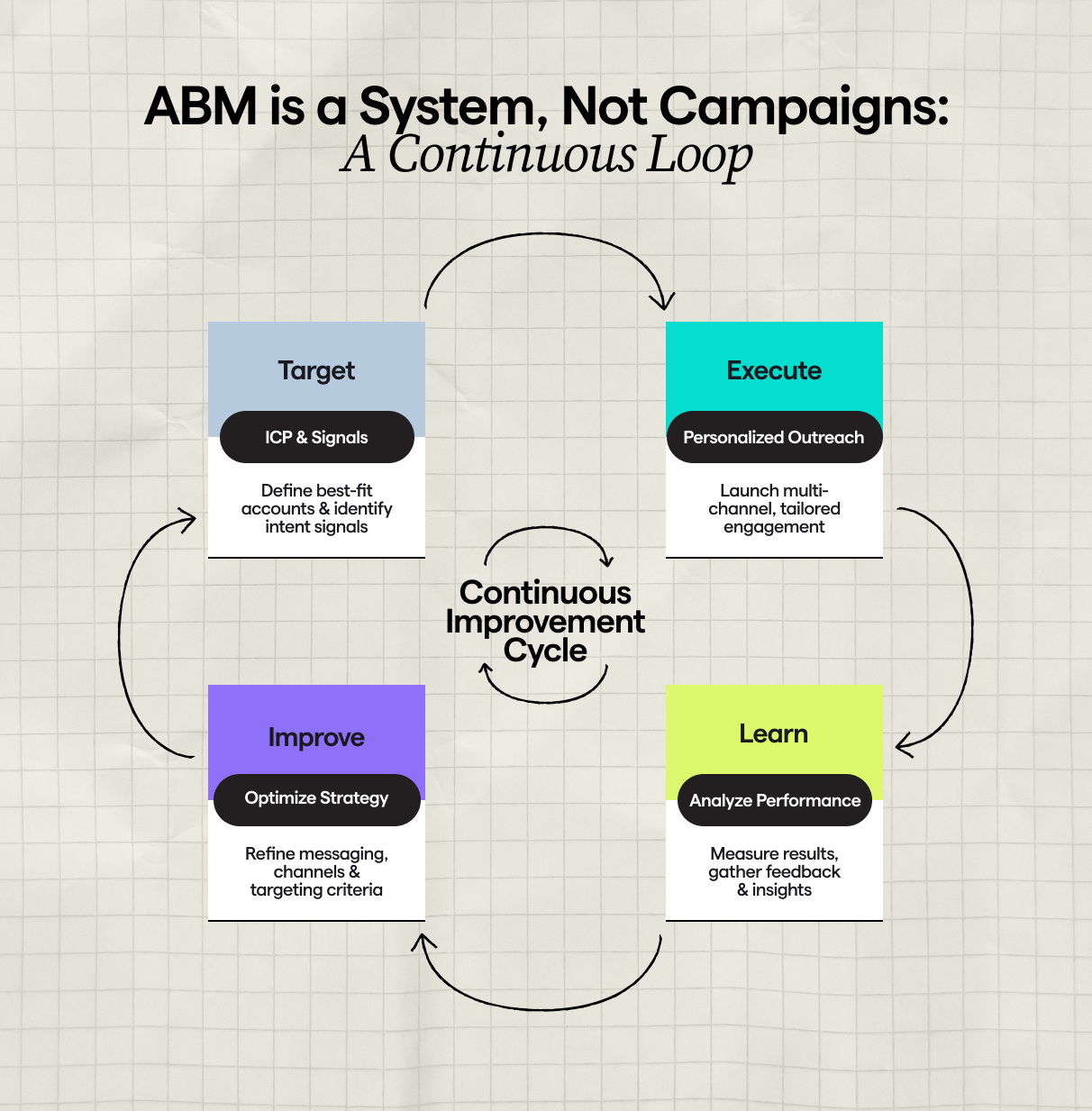
ABM works when it becomes a weekly operating cadence.
What to build
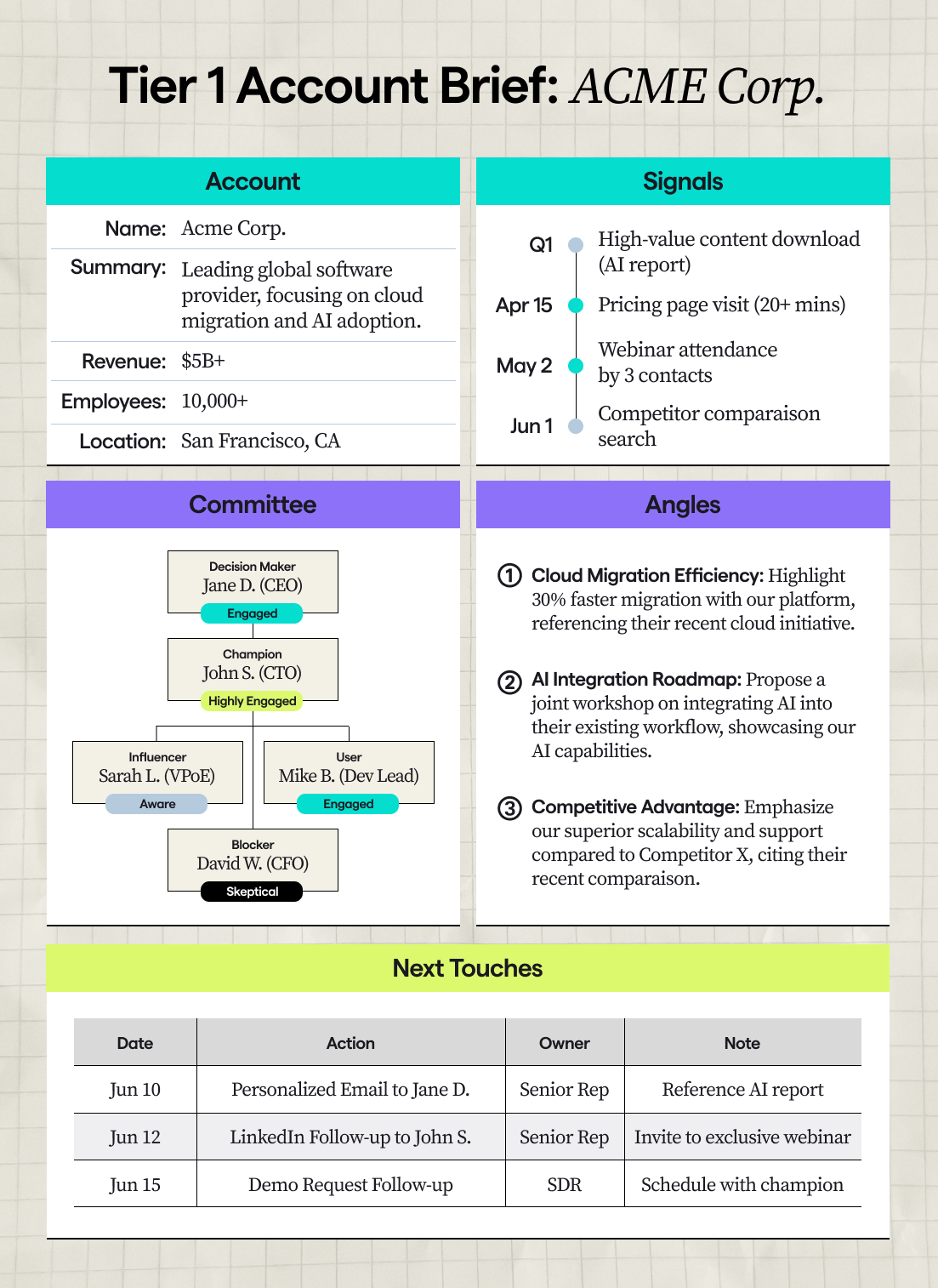
- A Tier 1 account workflow that includes:
- account research snapshot
- buying committee map
- 2–3 messaging angles
- light competitive context
- a coordinated sequence plan (email + LinkedIn + call + content touch)
Output
- A “Tier 1 Account Brief” generated consistently for every account
This is the bridge between “GTM strategy” and “Sales actually doing the work.”
Recommended implementation order (don’t try to do everything at once)
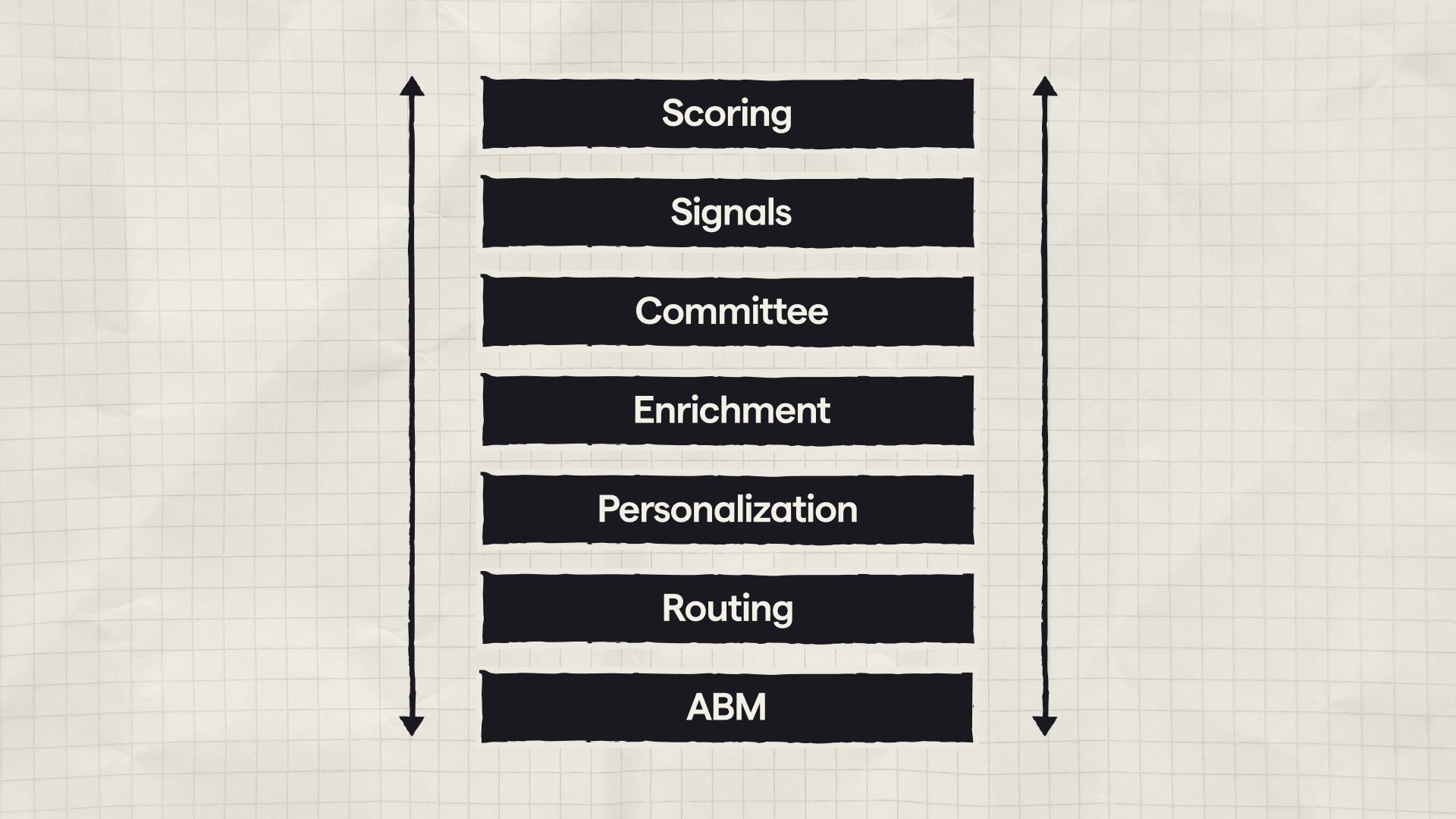
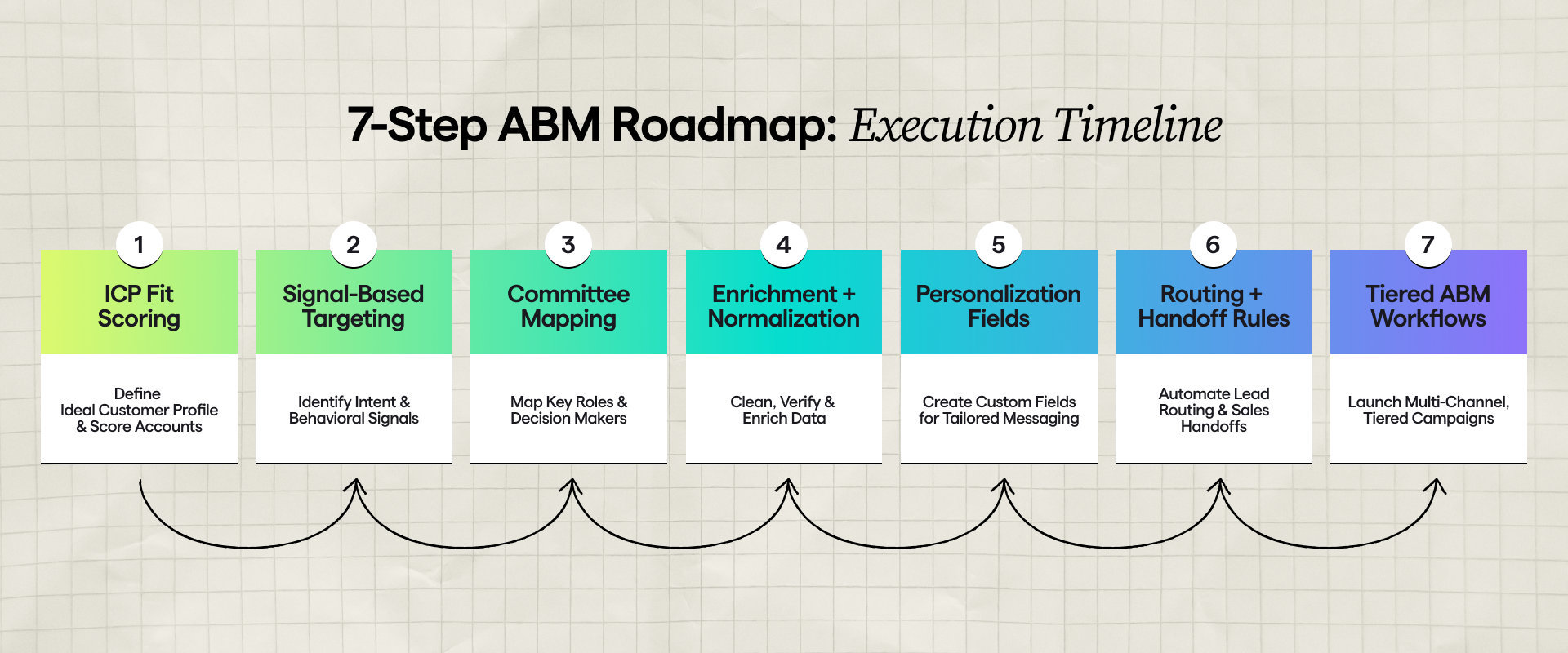
- ICP fit scoring
- Signal-based targeting
- Committee mapping
- Enrichment + normalization
- Personalization fields
- Routing + handoff rules
- Tiered ABM workflows
If you implement just the first 3 well, you’ll already feel the difference in lead quality.
Common mistakes teams make with Clay (and how to avoid them)
Mistake #1: Enrichment addiction. If it won’t change a play, it’s wasted.
Mistake #2: No segmentation spine. Taxonomy first, normalization always.
Mistake #3: “Personalized” with zero context. Signals = timing + angle.
Mistake #4: Data cosplay. No owner + next step = no system.
TL;DR
Best Clay use cases for GTM teams:
Build decision automation around ICP fit scoring, signal-based targeting, buying committee mapping, enrichment + normalization, personalization at scale, outbound routing, and tiered ABM workflows.
How to structure Clay for ABM:
Set Tier 1/2/3, rank accounts by signals, map the buying committee, then generate account briefs + role-based messaging angles so outbound is coordinated and repeatable.
Enrichment vs GTM system:
Enrichment = data added.
GTM system = data used to decide “who” to target, “what” to say, when to reach out, and where to route leads for execution.
Final takeaway
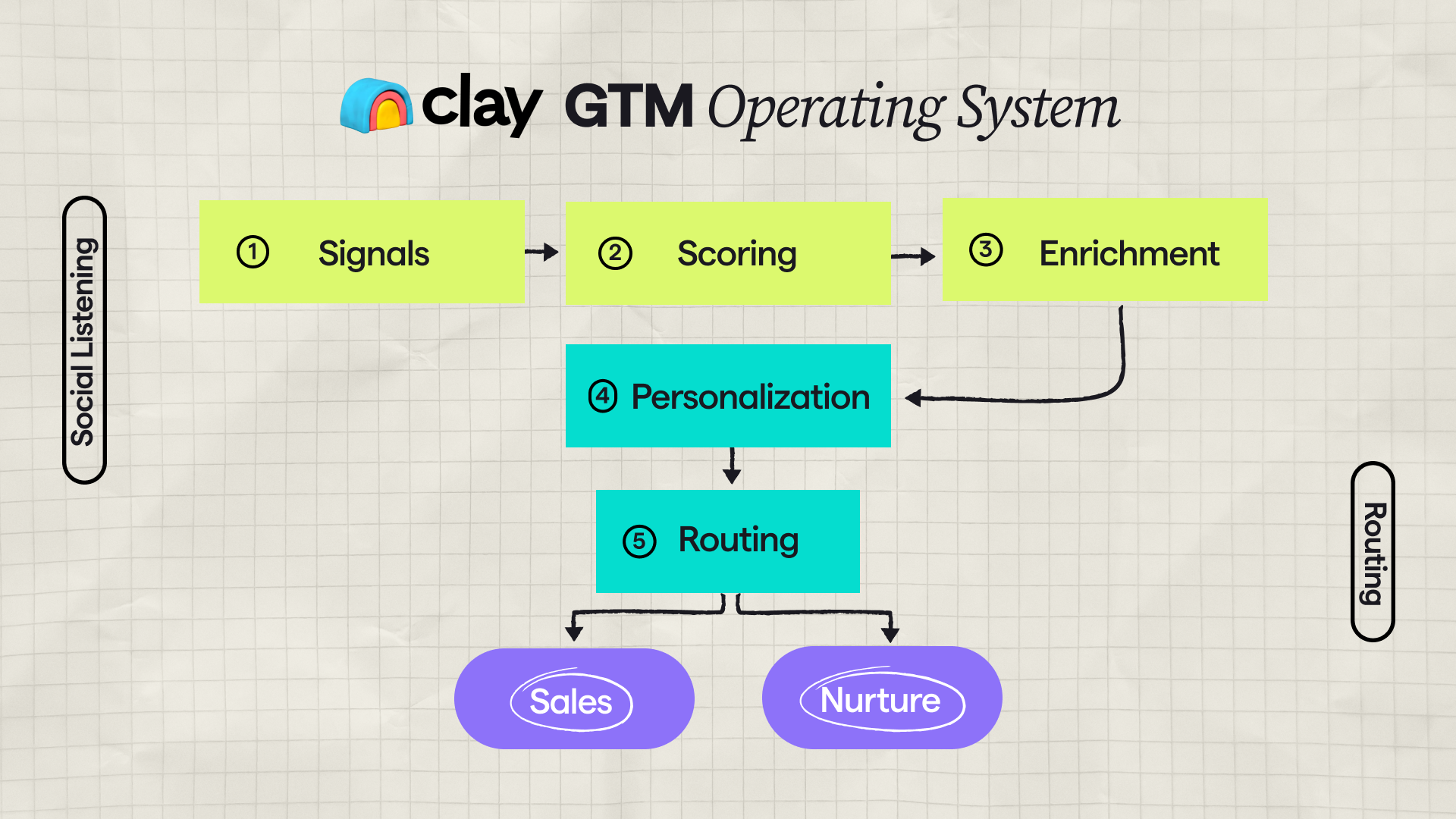
Clay becomes powerful when it’s not “a list tool,” but your GTM operating system:
- it decides what matters this week
- builds the right targets
- creates messaging inputs
- and routes everything into execution